
Essential Txt Files for SEO, AEO & GEO in 2026
Discover the essential txt files your codebase needs in 2026: robots.txt, llms.txt, security.txt and more to boost SEO, AEO, and GEO visibility.

AI Summary
Discover the essential txt files your codebase needs in 2026: robots.txt, llms.txt, security.txt and more to boost SEO, AEO, and GEO visibility.
Open the root of any healthy codebase and you’ll find a small set of txt files sitting in the root directory. They explain the project, set the rules, and tell other people, and increasingly other machines, how to work with your code and your website safely and easily.
What most business owners miss: those same text files are now doing double duty as SEO and AI visibility tools. A few lines in a .txt file can influence whether Google crawls your site properly, whether ChatGPT or Perplexity can accurately summarize what your business does, and whether Gemini or Claude cite you at all when someone asks a question in your industry.
This stopped being a small technical detail. A growing share of people get answers directly from AI tools instead of clicking through ten blue links, and those tools rely on structured, machine readable signals to figure out who to trust. If your codebase root is missing the right files, you’re leaving that trust signal on the table, even when your website itself looks great.
Below is the full breakdown of the essential txt files your codebase should have in 2026, why each one matters for traditional SEO, answer engine optimization (AEO), and generative engine optimization (GEO), and exactly what to put in them.
Why txt files matter more in 2026?
Search engines and AI models both rely on simple, predictable files to understand a site quickly, without guessing. Think of it as leaving clear instructions at the front door instead of making a visitor wander through every room.
A few reasons this has become more important recently:
- AI search tools like ChatGPT, Gemini, Claude, and Perplexity cite sources directly in their answers, and they favor sites that are easy to parse and clearly structured.
- Google has repeated that a clean, well configured robots.txt and sitemap remain foundational for reliable crawling and indexing.
- The llms.txt standard, first proposed in late 2024, has moved from a niche experiment to something major companies including Anthropic, Stripe, Vercel, and Cloudflare now publish, specifically to help AI models summarize and cite their content accurately.
- Security conscious buyers, partners, and even some enterprise procurement teams check for a security.txt file as a basic trust signal before doing business with a company online.
None of these files replace good content or a well built website. But they remove friction for the crawlers and AI systems trying to understand your site, and less friction usually means better visibility.

The core txt files every codebase should have
1. robots.txt
The oldest and still one of the most important files on this list. As Google’s Search Central documentation explains, it lives at yoursite.com/robots.txt and tells search engine crawlers which parts of your site they can access and which to skip, like admin panels, staging environments, or duplicate content areas.
Why it matters for SEO: a missing or misconfigured robots.txt can accidentally block search engines from crawling important pages, or waste crawl budget on pages that don’t need indexing.
Why it matters for AEO and GEO: many AI crawlers, including those used by OpenAI, Anthropic, and Perplexity, respect robots.txt directives too. If you want your content discoverable by these tools, your robots.txt needs to explicitly avoid blocking their user agents.
Basic example:
User-agent: *
Disallow: /admin/
Disallow: /staging/
Sitemap: https://yoursite.com/sitemap.xml
See it live: f9xr.github.io/robots.txt blocks error pages and tracking parameters, allows legal pages, and points to three sitemaps. That’s the shape of a healthy file.
2. llms.txt
The newest file on the list, and arguably the most important addition for 2026. Proposed by Jeremy Howard of Answer.AI in September 2024, llms.txt is a Markdown formatted file placed at yoursite.com/llms.txt. It gives AI models a clean, curated summary of your site: what you do, your most important pages, and how you’d like to be described.
Why it matters: AI models have limited context windows and often struggle to parse cluttered web pages full of navigation menus, ads, and cookie banners. An llms.txt file cuts through that noise and hands the model exactly what it needs. Think of it as the AI era answer to robots.txt and sitemap.xml. Those files tell crawlers what they can access. llms.txt tells AI models what your site is actually about.
Adoption is real and growing. Major companies have published their own llms.txt files, and early data suggests sites using one see more accurate brand descriptions and improved citation rates on tools like Claude and Perplexity over time. One honest caveat: it’s a proposed standard, not an official one, and not every AI provider honors it consistently yet. It’s a signal, not a guarantee.
Basic structure:
# Business Name

> One or two sentence summary of what you do and who you serve.

## Key Pages
- [Services](https://yoursite.com/services): what you offer
- [About](https://yoursite.com/about): who you are
- [Contact](https://yoursite.com/contact): how to reach you
See it live: f9xr.github.io/llms.txt walks an AI through F9XR’s identity, team, services, portfolio, and pricing in a few dozen lines, with a longer llms-full.txt for deeper detail.
3. security.txt
Backed by the securitytxt.org standard, this file sits at yoursite.com/.well-known/security.txt and tells security researchers how to responsibly report vulnerabilities they find on your site. It was built for larger organizations originally, but it’s become a quiet trust signal for any business.
Why it matters: beyond the obvious security benefit, having a security.txt file signals to search engines, partners, and increasingly to AI systems evaluating a site’s credibility that your business takes its digital presence seriously.
Basic example:
Contact: mailto:security@yoursite.com
Expires: 2027-01-01T00:00:00.000Z
Preferred-Languages: en
See it live: f9xr.github.io/.well-known/security.txt includes a contact email, an expiry date, a preferred language, and a canonical link to itself.
4. humans.txt
A simple, informal file that credits the people behind your website: developers, designers, and contributors. It’s less about crawlers and more about transparency and brand trust.
Why it matters: it’s a small signal of authenticity and transparency. AI models and users alike increasingly value knowing real people are behind a business, which ties into the same trust signals search engines have leaned on for years through E-E-A-T: experience, expertise, authoritativeness, and trustworthiness.
See it live: f9xr.github.io/humans.txt names the team, credits the open source community, and lists the stack it’s built on.
5. sitemap.txt (or sitemap.xml)
Most sites use sitemap.xml, but a plain sitemap.txt, just a list of URLs one per line, is a valid, lightweight alternative that some crawlers and smaller AI tools parse more easily.
Why it matters: a sitemap is how you hand search engines and AI crawlers a complete, organized map of every page you want indexed, instead of hoping they find everything through internal links alone. For local businesses, including your key location pages alongside business directory citations keeps your listings consistent across the web, a core part of consistency audits that affect both SEO and AI visibility.
See it live: f9xr.github.io/sitemap.xml is generated from the same source that produces F9XR’s pages, so new pages appear automatically.
6. ai.txt
An emerging, less standardized file that some businesses are starting to use specifically to set clear terms for how AI companies can use their content, separate from the discovery focused purpose of llms.txt. Adoption is still early and inconsistent across the industry, but it’s moving fast, especially if you publish a lot of original content, research, or data you want to control the usage of.
See it live: f9xr.github.io/ai.txt tells an AI what the site is, which services exist, where the long descriptions live, and that there are no server side APIs to crawl.
7. README.txt or README.md
Not just for developers. A clear README at the root of your codebase explains what the project or site is, how it’s structured, and how to work with it. If your website is open source, or if you ever bring on a new developer or agency, a strong README saves hours of onboarding confusion. It doubles as documentation search engines can occasionally surface for technical queries.
Quick reference table
| File | Location | Primary purpose | Helps with |
|---|---|---|---|
| robots.txt | /robots.txt | Controls crawler access | SEO, AEO |
| llms.txt | /llms.txt | Summarizes site for AI models | AEO, GEO |
| security.txt | /.well-known/security.txt | Vulnerability reporting contact | Trust signals, E-E-A-T |
| humans.txt | /humans.txt | Credits site contributors | Trust signals, brand transparency |
| sitemap.txt or .xml | /sitemap.xml | Lists indexable URLs | SEO, crawl efficiency |
| ai.txt | /ai.txt | Sets AI content usage terms | GEO, content control |
| README.md | / (repo root) | Documents the project | Developer trust, maintainability |
How to actually implement these files without breaking anything?
Step 1: Audit what you already have
Before adding anything new, check what already exists. Visit yoursite.com/robots.txt and yoursite.com/sitemap.xml directly in a browser to see what’s live. Most businesses are surprised to find an outdated robots.txt blocking pages they actually want indexed.
Step 2: Prioritize based on your situation
- If you’re a local business with limited technical resources, start with robots.txt and sitemap.xml. These have the most established, direct impact on traditional search.
- If you’re actively trying to show up in AI generated answers, prioritize llms.txt next. It’s low cost to create and useful now, even while the standard is still maturing.
- If you handle any customer data or run e commerce, add security.txt sooner rather than later.
Step 3: Keep them updated
These files aren’t set and forget. A sitemap needs to reflect new and removed pages. An llms.txt file should be updated whenever your core offerings or key pages change. A stale file can actively mislead crawlers and AI models, which is arguably worse than not having one at all. The same principle applies to building backlinks, where outdated or inconsistent signals across the web erode the authority these files are meant to establish.
Step 4: Validate before you publish
A single syntax error in robots.txt can accidentally block your entire site from search engines. Always test changes in Google Search Console or a robots.txt tester before pushing live, and confirm your sitemap is valid XML.
See these files in the wild
Every file on this list is published at the root of F9XR Team’s own open source codebase, so you can open each one in a new tab and see how it reads in production:
- robots.txt with three sitemap references
- llms.txt and the extended llms-full.txt
- security.txt
- humans.txt
- sitemap.xml
- ai.txt
Open ai.txt and you’ll see what a well written machine instruction looks like. It states plainly that the site is static, has no server side APIs, and points AI crawlers to the llms.txt files for a proper description. It’s a small file that removes all ambiguity for a machine, which is exactly the job these files exist to do.

How F9XR Team helps businesses get this right?
Most business owners didn’t start their company to spend weekends figuring out .well-known directories and Markdown syntax, and honestly, they shouldn’t have to. This is exactly the kind of foundational, technical groundwork F9XR Team handles for the businesses it works with, alongside broader website development and local SEO strategy.
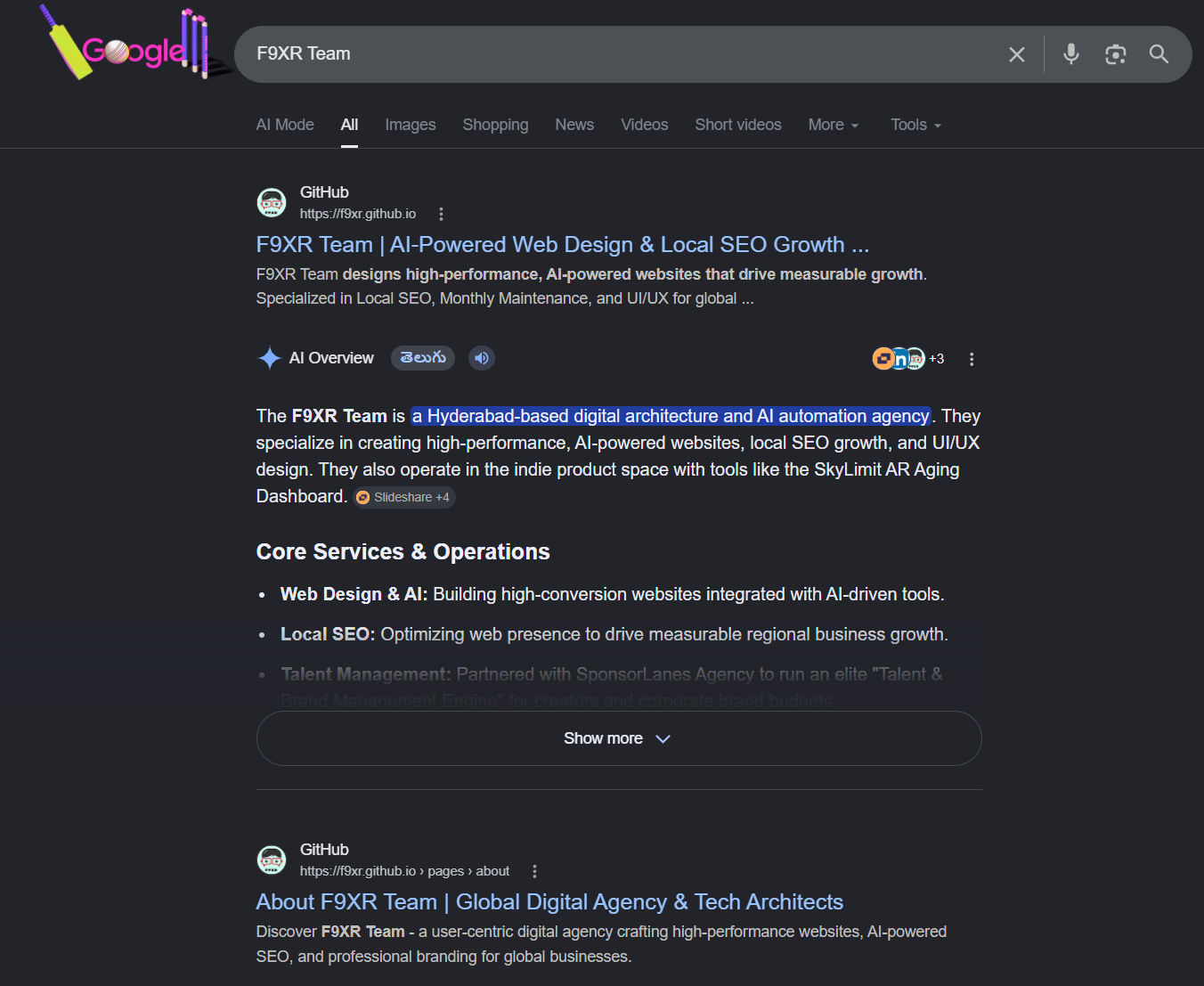
F9XR’s Codebase Auditor skill: doing this on autopilot
Rather than manually checking file by file, F9XR Team uses a purpose built Codebase Auditor skill that scans a website’s root directory and codebase structure automatically. It checks for the presence, accuracy, and health of files like robots.txt, sitemap.xml, llms.txt, and security.txt, flags misconfigurations like an accidental Disallow blocking key pages, and generates missing files based on the business’s actual services, location, and target audience.
In practice, that means a business gets a clear report of what’s missing, what’s broken, and what’s actively hurting its visibility with both Google and AI search tools, without needing to understand the underlying standards itself. You can read more about how that skill works in the F9XR SEO Codebase Auditor guide. It’s the kind of quiet, technical groundwork that doesn’t show up in a flashy before and after screenshot, but consistently shows up in whether a business actually gets found.
Key Takeaways:
- Core txt files like robots.txt, llms.txt, and security.txt sitting in your codebase root now directly influence both traditional SEO and AI visibility in tools like ChatGPT, Gemini, Claude, and Perplexity.
- llms.txt is the most significant newer addition, a Markdown file that gives AI models a clean summary of your site to improve citation accuracy and discovery.
- robots.txt and sitemap.xml remain foundational and should be audited regularly, since misconfigurations can accidentally block important pages from being indexed.
- security.txt and humans.txt are smaller trust signals, but they contribute to the credibility and transparency search engines and AI systems increasingly reward.
- These files need regular maintenance, not a one time setup, since outdated information can mislead crawlers and AI models.
- Tools like F9XR Team’s Codebase Auditor skill can automate this entire audit and setup process, so business owners don’t have to become technical experts to get it right.
Conclusion
The files sitting quietly in your codebase root might be the most overlooked SEO and AI visibility asset your business has. They’re inexpensive to create, they don’t require a redesign, and they directly affect whether search engines and AI tools can find, understand, and trust your site.
Getting them right, and keeping them right as your site grows, is exactly the kind of technical foundation F9XR Team builds into every website development, website redesign, and local SEO engagement, backed by tools like the Codebase Auditor skill that keep this groundwork running quietly in the background instead of becoming another thing on your to do list. If you’d rather focus on running your business, teams like F9XR can handle the AI visibility and technical setup for you.
Further Reading
Related Questions

Keywords
Copyright
© 2026 F9XR Team. Licensed under the Creative Commons Attribution 4.0 International License (CC BY 4.0). You are free to share and adapt this work with attribution to the F9XR Team.
Disclaimer
This article reflects the experience and opinions of the F9XR Team and is provided for general informational purposes only. It is not professional legal, financial, or medical advice. Metrics and results mentioned are illustrative and not guaranteed.
F9XR/Articles, published by the F9XR Team, delivers high-quality marketing content produced by staff and contracted experts, unless otherwise noted. This commitment to quality ensures comprehensive coverage of industry topics from a trusted team of writers. For more information, please visit the F9XR Team website or reach out through the contact page.
Ready to Build a Stronger Digital Presence?
The F9XR Team helps business owners turn websites into conversion engines. From website development and redesign to local SEO and AI-powered visibility, we engineer systems that bring in results, not just traffic.
Comments